The Home page in IBM Controller Web shows users the submission deadlines coming up. But what if you’d rather it didn’t? Customers have asked us how to hide them, so this article walks you through a simple workaround.
What does the Home page show? #
The Controller Web Home page displays deadlines for the current day and the next two months.
That information comes from the Submissions menu in Controller Classic. There, a date is entered alongside each Period, Actuality, Submission number and Form Set, and that date appears on the Home page as the deadline for that submission, actuality and period.
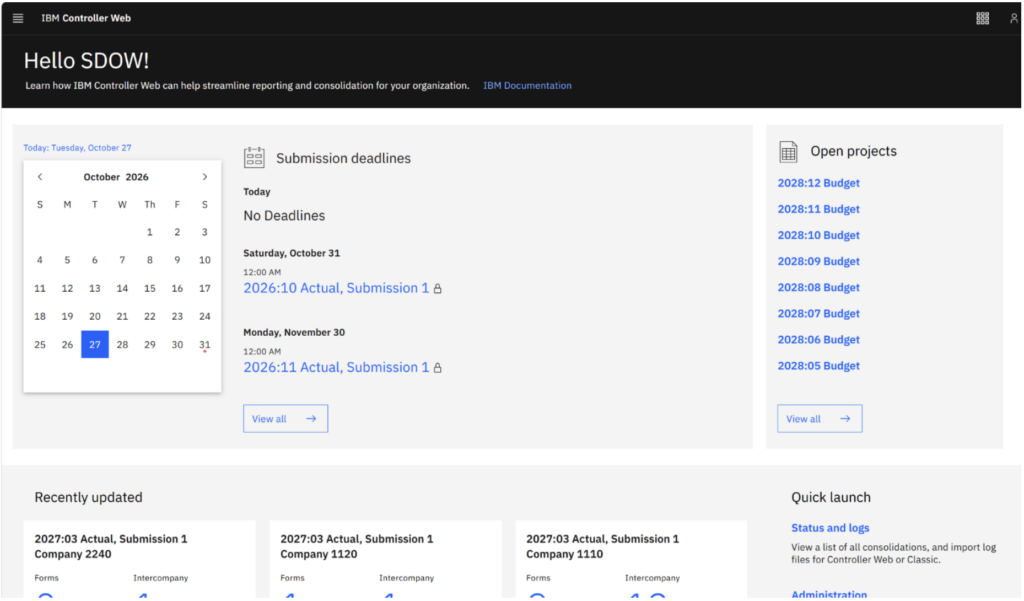
Controller Web ‘Home’ page displaying deadlines
Why might you want to remove deadlines? #
Showing deadlines isn’t always helpful. Here are two common examples:
- Your group is multinational. A single deadline date for a submission, period and actuality may not apply to all of your users.
- The actuality is linked to another actuality for local currency data. Its job is to translate that data at a different exchange rate. As no data is entered directly into it, no deadline is needed.
How to remove the deadlines #
There isn’t currently a setting to switch deadlines off in Controller Web, so this is the workaround we recommend. You’ll make the change in Controller Classic:
- Open the Submissions menu in Controller Classic.
- Find the submission for the Period, Actuality, Submission number and Form Set you want to change.
- In the Date field, change the year to a year in the past.
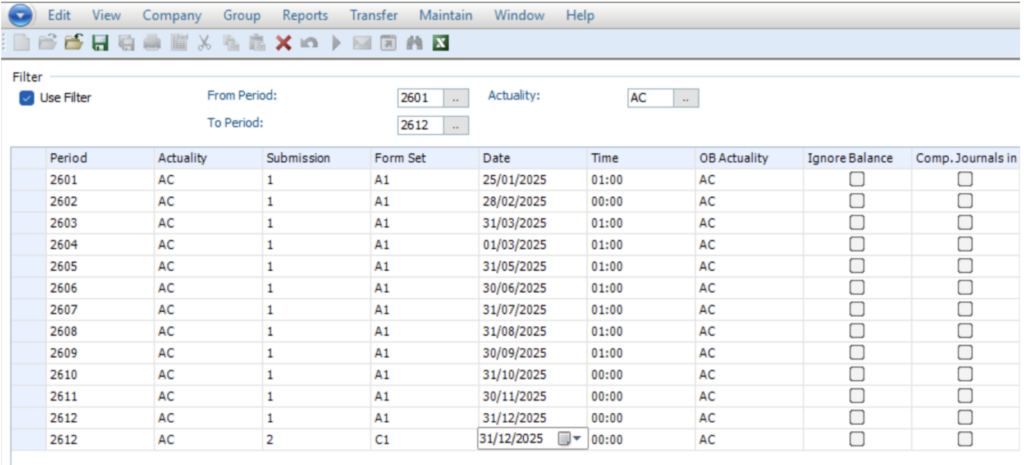
Controller Web ‘Home’ page with deadlines removed
In this example, the year in the ‘Date’ field has been changed from 2026 to 2025. The date and time in the ‘Submissions’ window are used only to define the deadline on the Controller Web home page, so this change does not affect the data.
Once the date has been updated, the deadline no longer appears on the Controller Web Home page.
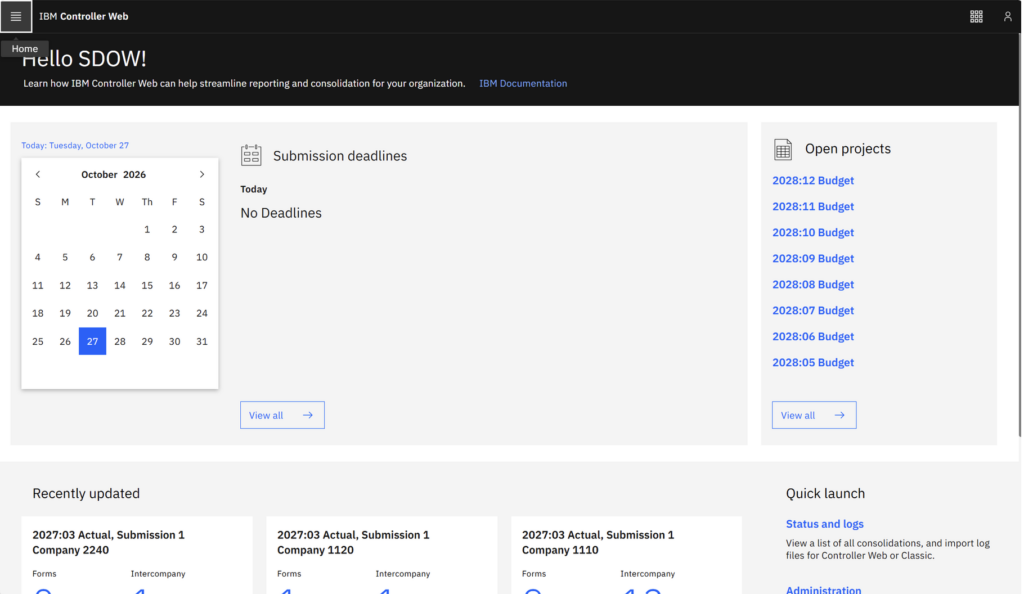
The Controller Web home page with no deadlines displayed.
In summary #
The deadlines on the Controller Web Home page come straight from the Submissions menu in Controller Classic, so one small change to the date is all it takes to hide the ones your users don’t need. It’s a quick way to keep the Home page clear and relevant, whether your group works across several countries or some actualities never need a deadline.
If you’d like help getting more from IBM Controller Web, or have any questions about setting up submissions for your users, we would be happy to help. Contact us today.


