Managing Planning Analytics for Excel (PAfE) across multiple users can quickly become time-consuming if configuration changes have to be made on every individual computer.
IBM has introduced Spreadsheet Configuration in Planning Analytics Workspace, allowing administrators to centrally manage many of the settings previously stored in the TM1 Web configuration file. This makes it easier to standardise user settings, reduce administration time and maintain greater control over both Planning Analytics for Excel (PAfE) and Planning Analytics Spreadsheet Services (PASS).
This guide explains how Spreadsheet Configuration works and the key settings you can manage.
What is Spreadsheet Configuration? #
Spreadsheet Configuration is an administration feature within Planning Analytics Workspace that enables administrators to manage PAfE and PASS settings from a single location.
Rather than updating configuration files or changing settings on each user’s computer, administrators can define many of these settings centrally, ensuring a consistent experience for all users.
The feature also provides support for custom parameters, making it easier to manage additional configuration options without editing configuration files directly.
Enable Spreadsheet Configuration #
Depending on the version of Planning Analytics Workspace you are running, you may first need to enable Spreadsheet Configuration.
Navigate to:
Features and Configuration → Web Sheets
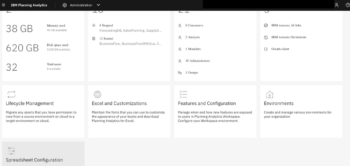
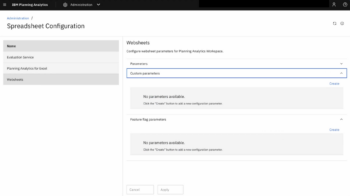
If the Spreadsheet Configuration option is available but not enabled, activate it before continuing.
Once enabled, you’ll be able to configure the spreadsheet settings directly within Planning Analytics Workspace.
Configure TM1 Web Parameters #
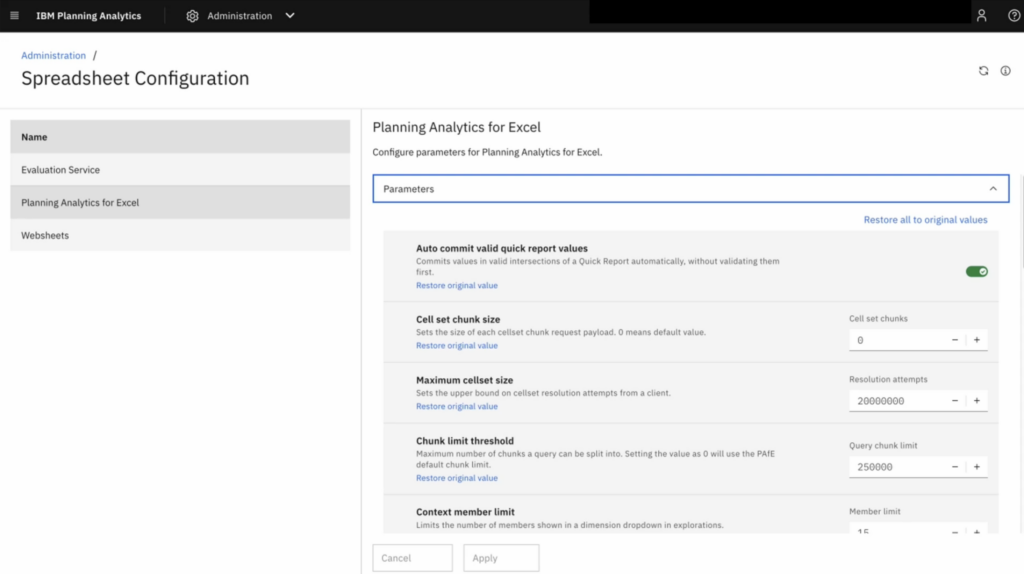
Spreadsheet Configuration includes many of the parameters that were traditionally maintained within the TM1 Web configuration file.
Administrators can configure these settings centrally, allowing changes to be made once rather than updating multiple servers or individual user environments.
The interface also includes a dedicated section for defining custom parameters, giving administrators greater flexibility when managing their Planning Analytics environment.
Manage the Cognos Office Reporting File #
Spreadsheet Configuration also allows administrators to centrally manage the Cognos Office reporting file.
Historically, any changes to this file had to be made on each user’s computer, making ongoing administration more time-consuming and increasing the risk of inconsistent configurations.
Managing the reporting file centrally ensures all users work from the same configuration while significantly reducing administrative effort.
The configuration page also includes parameters for adjusting several Planning Analytics for Excel limits, with IBM’s default values applied unless administrators choose to change them.
Control Which Report Types Users Can Create #
Administrators can control which report types are available within Planning Analytics for Excel.
The available settings include enabling or disabling the creation of:
- Custom Reports
- Dynamic Reports
- Exploration Reports
- Quick Reports
These centrally managed settings take priority over each user’s local preferences, helping organisations maintain consistent reporting standards across their Planning Analytics system.
Set a Global PAfE Locale #
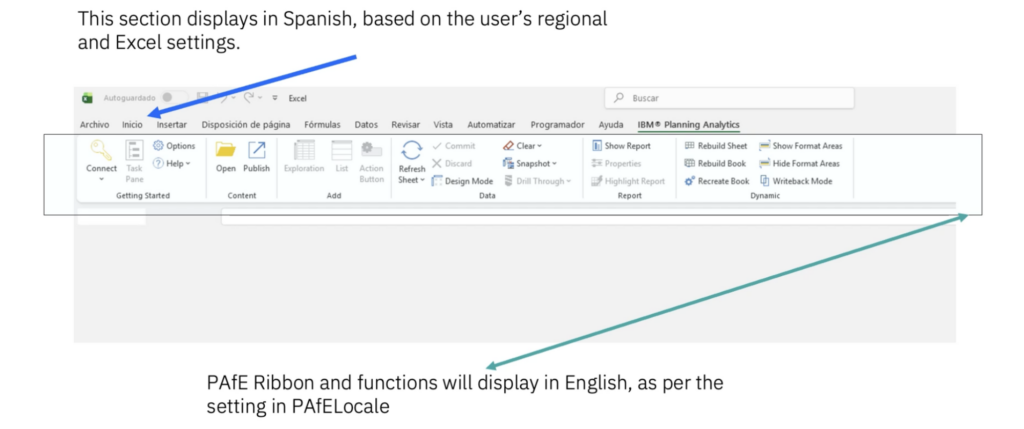
A useful addition is the PAfELocale custom parameter.
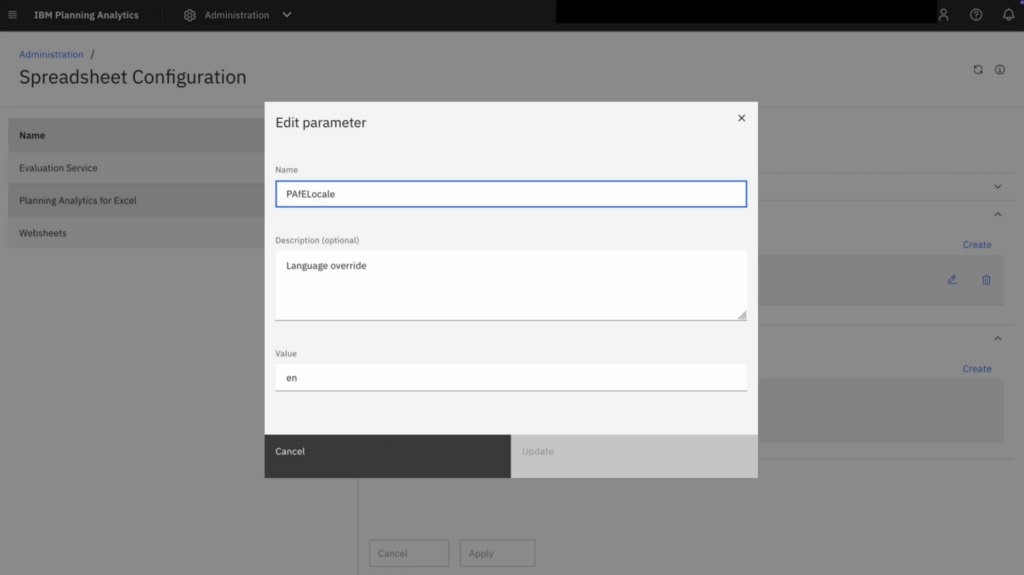
By default, Planning Analytics for Excel uses each user’s Windows regional settings to determine the display language. In organisations operating across multiple countries, this can result in users seeing different languages.
By defining PAfELocale within the custom parameters section, administrators can override local regional settings and ensure every user works with the same PAfE language, regardless of their individual PC configuration.
Evaluation Service #
Planning Analytics for Excel uses an Evaluation Service to process complex multidimensional reports, including Universal Reports, outside of the user’s local Excel session.
Moving this processing away from the desktop helps improve performance when executing, rendering and recalculating larger reports, while providing a more consistent experience for users.
Why Use Centralised Spreadsheet Configuration? #
Using Spreadsheet Configuration provides several benefits for Planning Analytics administrators:
- Manage PAfE and PASS settings from one central location.
- Reduce the time spent maintaining user configurations.
- Standardise settings across all users.
- Control which report types users can create.
- Apply a consistent language across your Planning Analytics environment.
- Simplify ongoing administration and support.
By centralising configuration, administrators can spend less time managing user environments and more time helping users get value from Planning Analytics.
Have Questions About Planning Analytics? #
If you’d like to learn more about Spreadsheet Configuration, Planning Analytics for Excel, or any other aspect of IBM Planning Analytics, get in touch with us here.


