If your saved IBM Planning Analytics connections have disappeared, the issue may be linked to your CommManagerSettings.xml file.
Your saved connection details are stored within this file. If it is deleted or replaced, your previously saved connections may no longer appear.
Where is the CommManagerSettings.xml file? #
The file is normally stored on the user’s machine here:
C:\Users\<user name>\AppData\Local\Cognos\Office Connection
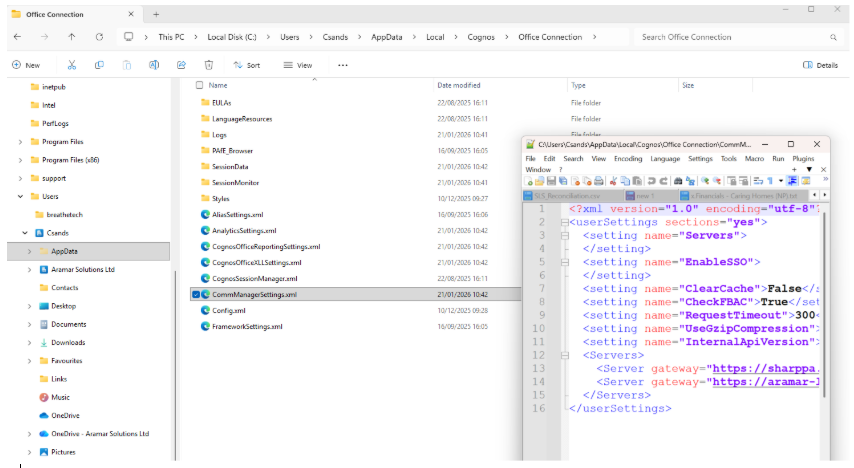
If your saved connections have disappeared, check this location to see whether the CommManagerSettings.xml file is still present or has been replaced.
Can’t access the folder? #
Depending on your company’s IT settings, you may not have access to this folder. If you can’t find or access it, you may need to contact your IT team for help or the appropriate permissions.
Still having problems with your IBM Planning Analytics connections? Get in touch with the Aramar team and we’ll be happy to help.


