Accidentally deleting a dimension element in IBM Planning Analytics can cause serious problems, including the loss of associated data. In some cases, this may even require restoring from backup.
One feature that can help protect against this is the Leaves hierarchy.
The Leaves hierarchy acts as a safeguard by retaining base-level elements, even if they are removed from the main hierarchy.
Creating a Leaves hierarchy #
In the example below, the dimension Data Version contains a single hierarchy, also called Data Version, with four elements.
To create a Leaves hierarchy:
- Right click on the dimension
- Select Create hierarchy
- Create a temporary hierarchy (for example, “Test”)
Once the hierarchy is created, IBM Planning Analytics will automatically create a new hierarchy called Leaves.
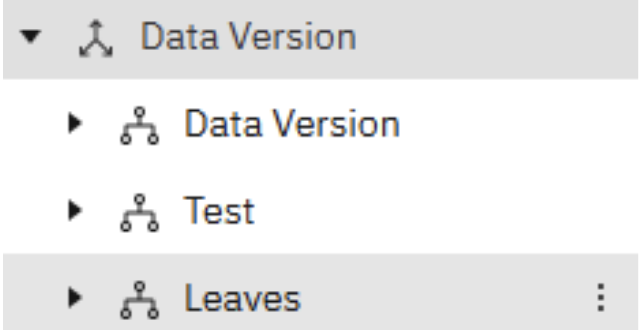
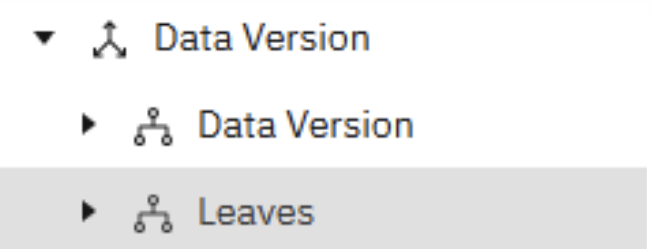
The temporary ‘Test’ hierarchy can then be deleted.
The Leaves hierarchy will remain and contain a copy of the original ‘data version’ elements.
What happens when an element is deleted? #
In this example, the element 5Yr Forecast is deleted from the main hierarchy.
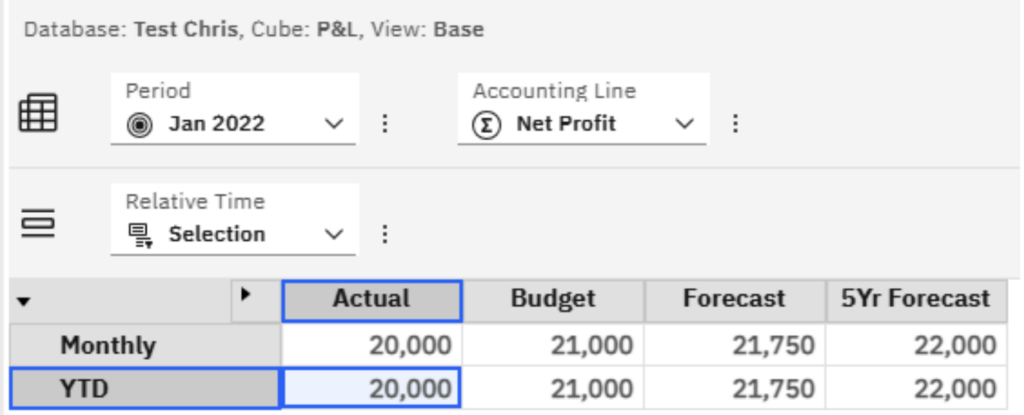
At first glance, the figures appear to be gone.
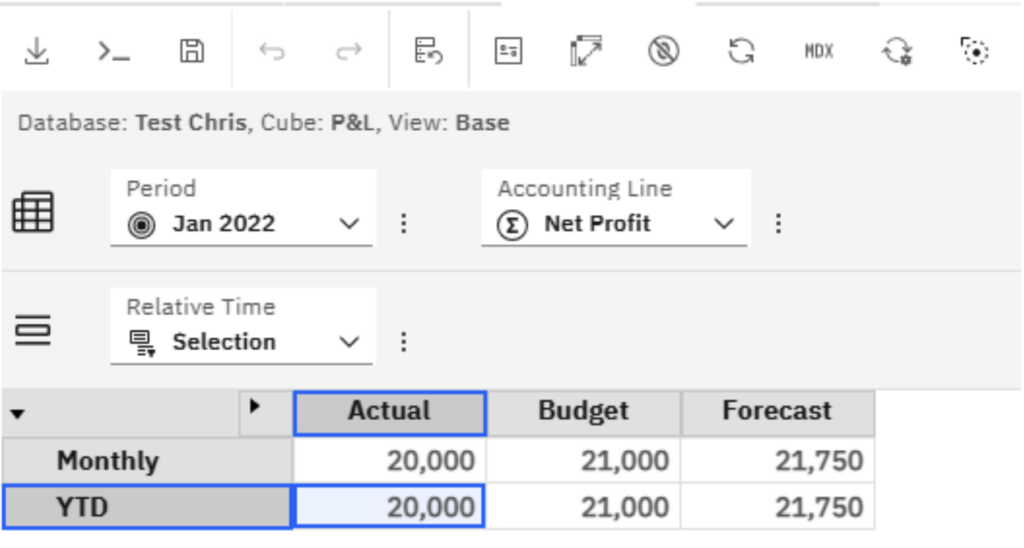
However, the element still exists within the Leaves hierarchy, meaning the data has not been permanently lost.
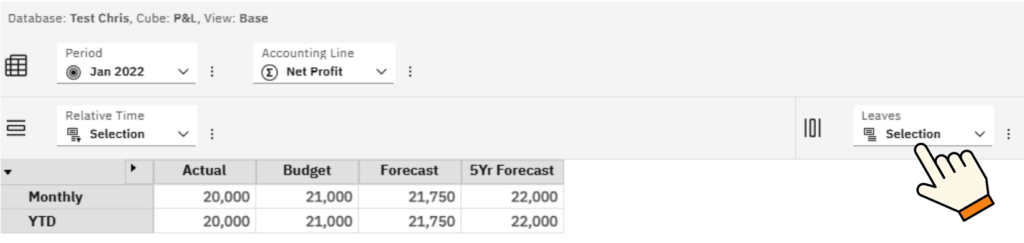
By replacing the columns in the view with the Leaves hierarchy, the data can still be seen.
This provides a safety net if an element is removed accidentally
Restoring the deleted element #
To restore the deleted element:
- Open the dimension editor
- Copy the element from the Leaves hierarchy
- Paste it back into the main hierarchy
Once restored, the data will reappear in the original view.
Final thought #
The Leaves hierarchy is a simple but valuable feature that can help protect your Planning Analytics model from accidental data loss.
If your users regularly maintain dimensions or hierarchies, enabling this feature can provide an extra layer of reassurance and reduce the risk of recovery from backup.
If you’d like help improving the structure, security, or maintainability of your Planning Analytics model, talk to us, we’re always happy to help.


