Search site:

Aramar
  • About Us
  • Our Team
  • Join the Team
  • Insights & Updates
  • Talk to Us
  • Financial Reporting
    • Financial Reporting.

      • IBM Planning Analytics
      • IBM Controller
      • IBM Cognos Analytics
      • IBM Planning Analytics.

        IBM Planning Analytics is business performance management software that combines budgeting and AI-enhanced forecasting with intuitive analysis, reporting and workflows.

      • IBM Controller

        IBM Controller delivers accurate, fully auditable financial results, a guided period close user experience, and automatic consolidation and reporting.

      • IBM Cognos Analytics

        IBM Cognos Analytics is infused with AI and offers an intuitive and user-friendly experience.

    • IBM Planning Analytics
    • IBM Controller
    • IBM Cognos Analytics
  • ITFM
    • IBM Apptio.

      • IBM Apptio
      • IBM Apptio

        Take control of your IT spending and plan with confidence

    • ESG Reporting
      • IBM Envizi.

        • IBM Envizi
        • IBM Envizi

          Turn ESG data into clear, auditable insights and compliant reports.

      • IBM Envizi
    • Customer Success
      • Customer Success.

        • Customer Success Programme
        • Customer Stories
        • Customer Success Programme

          All our customers join our success program.

        • Customer Stories

          Don’t just take our word for it…

      • Customer Success Programme
      • Customer Success
    • Support
      • Support & Delivery.

        • Implementation and Development
        • Cloud Migration
        • Support
        • IBM Licensing
        • Implementation and Development

          From practical, hands-on development through to strategic guidance, our team of specialists is here to help.

        • Cloud Migration

          We have unrivalled experience in helping customers migrate their Business Analytics installations to the Cloud and helping them to take advantage of all IBM SaaS has to offer.

        • Support

          We are proud of our dedicated, friendly support desk, providing IBM Certified support and application support.

        • IBM Licensing

          As an Gold IBM partner, Aramar are able to negotiate the best terms with IBM on software licences and can provide wrap-around support to help you get the best from the products you have purchased.

      • Implementation and Development
      • IBM Cloud Migrations
      • Support
      • IBM Licensing
    • Knowledge Centre
      • Aramar Knowledge.

        • Aramar Specialist Knowledge
        • Expert insight for IBM users

          Explore upgrade guidance, how-to guides and technical best practice across the IBM suite. Practical, real-world insight to help you solve problems faster and get more from your IBM investment.

      • Fast Financials
      • Financial Planning and Analysis 
      • Lease Accounting
    • About Us
    • Our Team
    • Join the Team
    • Insights & Updates
    • Talk to Us

    IBM Planning Analytics

    36
    • How to: Check whether a Dimension exists in IBM Planning Analytics
    • How to: Control Who Has Access to the Planning Analytics Assistant
    • 5 Top Tips for Working with Planning Analytics for Excel (PAfE)
    • How to: Add Spacer Rows and Columns to Universal Reports in Planning Analytics for Excel (PAfE)
    • How To: Subscribe to IBM Security Bulletins for Planning Analytics, Cognos Analytics and Controller
    • How to: Load a file via process in Planning Analytics Workspace (PAW)
    • How To: Find out your Planning Analytics Version using Workbench (Planning Analytics on Cloud)
    • How To: Create a simple hierarchy in Planning Analytics
    • How to: Change maximum login attempts to Planning Analytics on Cloud
    • How to: Using the While statement Turbo Integrator Process in IBM Planning Analytics
    • How to: Change a Dimension Element Weight in Planning Analytics via TI process
    • Aramar Tips: Moving Databases in Planning Analytics
    • How to: Mapping a CSV data source directory in IBM Planning Analytics on Cloud
    • How to: Mapping a Network Drive between Live and Development Environments in Planning Analytics on Cloud
    • How To: Resolve ODBC error ‘unable to open connection to database’ in IBM Planning Analytics 
    • How To: Investigating issues using the TM1 Server Log
    • How To: Check the version of IBM Planning Analytics for Excel
    • How to: Check and manage your IBM Planning Analytics licence usage vs. your licence entitlement
    • How to: Change the display row limit in Planning Analytics for Excel
    • How To: Set up Inactivity Timeout Sessions in IBM Planning Analytics
    • How To: Install Planning Analytics for Excel (PAfE)
    • How to: Check the Security of a Dimension in IBM Planning Analytics
    • Aramar Tips: Using PowerShell in Planning Analytics
    • Fundamentals: Feeders in IBM Planning Analytics
    • Fundamentals: Cube Viewer in Planning Analytics for Excel
    • Fundamentals: DBRW in Planning Analytics
    • How to: Create a Dimension in IBM Planning Analytics
    • Fundamentals: What are Dimensions in IBM Planning Analytics?
    • How to: Edit Dimensions in IBM Planning Analytics
    • How to: Create a Cube in IBM Planning Analytics
    • How to: Create Subsets driven by another Dimension in Planning Analytics
    • Aramar Tips: Creating documentation IBM Planning Analytics
    • Aramar Tips: Checking your parameters with a Planning Analytics TI Process
    • Aramar Tips: Analysing Data in IBM Planning Analytics for Excel
    • How to: Add a new Element to an existing Dimension in IBM Planning Analytics
    • Aramar Tips: Working with Subsets in IBM Planning Analytics

    IBM Cognos Analytics

    1
    • How To: Subscribe to IBM Security Bulletins for Planning Analytics, Cognos Analytics and Controller

    IBM Controller

    29
    • Weekly reporting vs period close in IBM Controller: what to consider
    • How to: Audit the Licenced Number of Controller Users
    • How to: Reconcile Data by Company in IBM Controller Web
    • Aramar Tips: The Benefits of Using IBM Controller Web for Data Import via Import Specifications
    • How to: Improve your Controller Excel Report Performance
    • Fundamentals: What’s the difference between IBM Controller Web and IBM Controller Classic?
    • How to: Create Multi Period Import Specs in IBM Controller Web
    • How to: Change the reporting currency belonging to a local subsidiary (or reporting entity) in IBM Controller
    • How to: Effectively structure user security in IBM Controller
    • How to: Run an internal database optimise in IBM Controller
    • How to: Schedule an internal optimise in IBM Controller
    • How to: Check currency translation using a standard report in IBM Controller
    • How to: Drill Data within IBM Controller
    • How to: Change the reporting currency belonging to the group consolidation in IBM Controller
    • How To: Change the method of translation applied to the P&L statement, or create different P&L translation views from the same source data in IBM Controller
    • How to: Check when a Company was last updated (and by who) from within IBM Controller Web
    • How to: Consolidate a Submission in IBM Controller Web
    • How To: Log into Citrix for the first time using IBM Controller on Cloud
    • How To: Interrogate the backend SQL table using IBM Controller
    • How To: Fix the Intercompany button not appearing in IBM Controller
    • How to: Check the size of your IBM Controller database
    • How to: Clear the local cache within Controller
    • How to: Condense XACCLOCK Table
    • How To: Subscribe to IBM Security Bulletins for Planning Analytics, Cognos Analytics and Controller
    • How to: Save Time Posting Journals on Accounts That Reconcile to Each Other
    • How to: Add Companies to Linked Structures Directly from the Company Structure Menu
    • How to: Back Up an IBM Controller Database
    • How to: Navigate the Backend SQL tables within IBM Controller
    • How to: When Does the FAP Publish Client from Controller Need Updating?

    Extra Insights

    3
    • How To: Subscribe to IBM Security Bulletins for Planning Analytics, Cognos Analytics and Controller
    • How to: Manage Users in IBM MySupport
    • Aramar Tips: 5 Easy tips to consider when adding commentary to your financial reports 
    View Categories
    • Home
    • knowledge-share
    • IBM Controller
    • How to: Consolidate a Submission in IBM Controller Web

    How to: Consolidate a Submission in IBM Controller Web

    Consolidating submissions in IBM Controller Web is a key step in the financial close process. This article takes you through the steps you need to complete a consolidation job from within the web interface.


    What You’ll Need #

    Before you start, ensure:

    • You have access to Controller Web with appropriate rights.

    • The relevant submission(s) have already been imported.

    • No other critical batch jobs will interfere with consolidation.


    Step-by-Step: Consolidating a Submission #

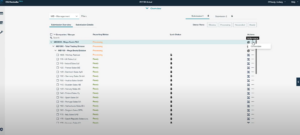
    1. Open Submission Status

      • Navigate to the Submission Status window in Controller Web.

      • Locate the submission you want to consolidate.

    1. Access Consolidation Options
      • In the Actions column for the chosen submission, select the ellipsis (…) icon.

      • This opens the Consolidation Parameters window.

    2. Review and Adjust Parameters

      • This window will show pre-populated fields including:

        • From/To Periods

        • Actuality

        • Group values

        • Consolidation type

      • Adjust any settings if necessary for your consolidation run.

    3. Consolidation Options

      • Click Next to move to the Consolidation Options screen.

      • Review the translation method and other settings.

    4. Select Additional Options

      • Choose any applicable options before running consolidation:

        • Force consolidation regardless of status

        • Include allocations

        • Include advanced formula calculations

        • Include user-defined business rules

    5. Run Consolidation

      • Click Run consolidation, then Confirm.

      • The consolidation job is added to the batch queue.

      • You will see a batch number indicating the job has been queued.

    6. Finish

      • Click Close.

      • The consolidation process is now initiated and will run based on your system’s batch processing configuration.


    Tips #

    • Check Batch Status: After submission, monitor the batch queue for completion and any warnings.

    • Translation Methods: Review the chosen translation option if consolidating entities reporting in different currencies.

    • Re-Run When Needed: If your first consolidation run shows inconsistencies, adjusting parameters and re-running can resolve them.

    Updated on January 19, 2026

    Was this helpful?

    • Happy
    • Normal
    • Sad

    Share This Article :

    • Facebook
    • X
    • LinkedIn
    How to: Check when a Company was last updated (and by who) from within IBM Controller WebHow To: Log into Citrix for the first time using IBM Controller on Cloud
    Sections
    • What You’ll Need
    • Step-by-Step: Consolidating a Submission
    • Tips

    Our Accreditations and Partners

    Aramar works with customers of all sizes, from a range of industries helping them with Business Analytics, Business Process, Sustainability and AI solutions using IBMs leading software solutions.

    email contactus@aramar.co.uk

    • LinkedIn
    • YouTube

    Registered Address:
    124 City Road,
    London,
    EC1V 2NX

    © Aramar 2026. All Rights Reserved.

    Terms of use Privacy Policy

    Website and Marketing by Unity Online