Planning Analytics Workspace allows you to open a split editor view when working with processes. This makes it possible to view two parts of the same script at the same time. Useful to compare logic or when working with longer processes. #
How to open split view in the script editor #
-
Open the process in Workbench
-
Go to the Script tab
-
Click the Split View button in the editor toolbar
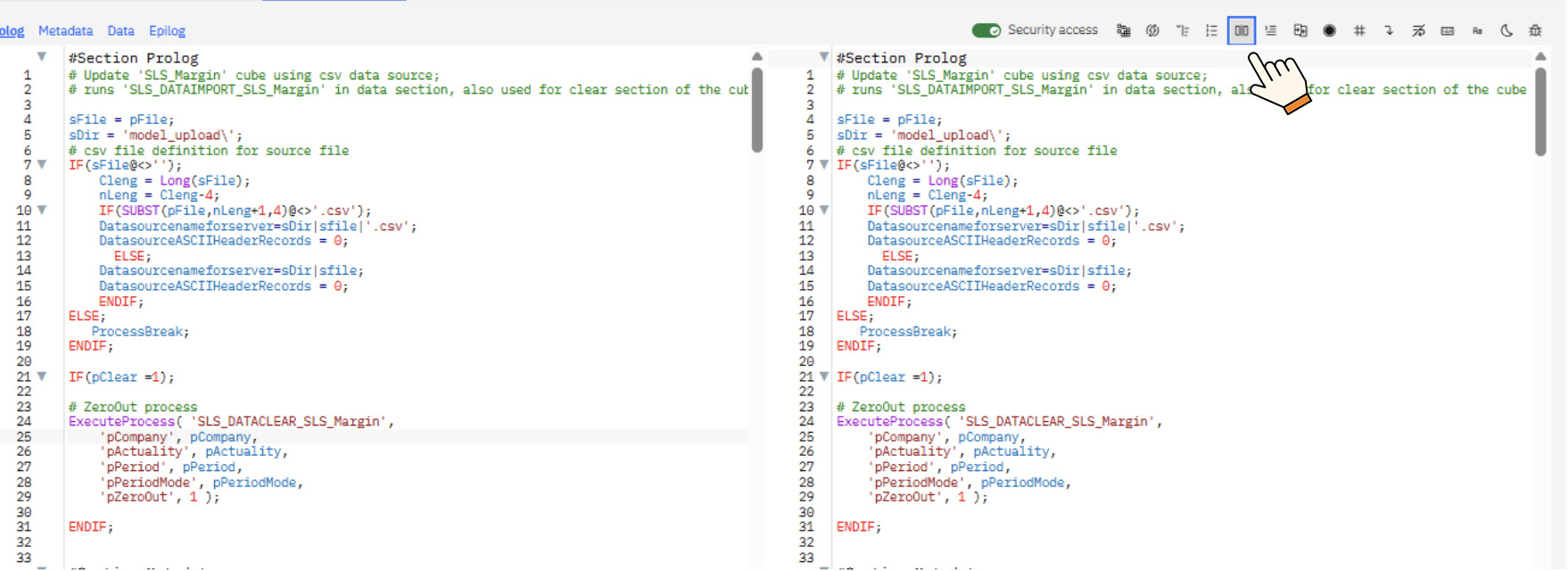
-
The editor will open a second window showing the same script
-
Scroll each window independently to compare different sections
Split view allows you to work more easily with complex scripts without constantly scrolling up and down.
When split view is useful #
Split scripting is helpful when:
-
Comparing two parts of the same process
-
Copying logic between sections
-
Reviewing long TurboIntegrator scripts
-
Troubleshooting code
This feature improves productivity for developers working regularly in Planning Analytics Workbench.
If you need help with Planning Analytics development or process design, we can help.


